






Microsoft Dynamics
Intelligent ERP. Connected Business.
Transform the way you manage finance, inventory, sales, purchasing, and business operations with Microsoft Dynamics 365 ERP solutions. At Tiksom, we help businesses plan, implement, customise, and optimise Microsoft Dynamics to streamline workflows, improve visibility, and support sustainable growth.
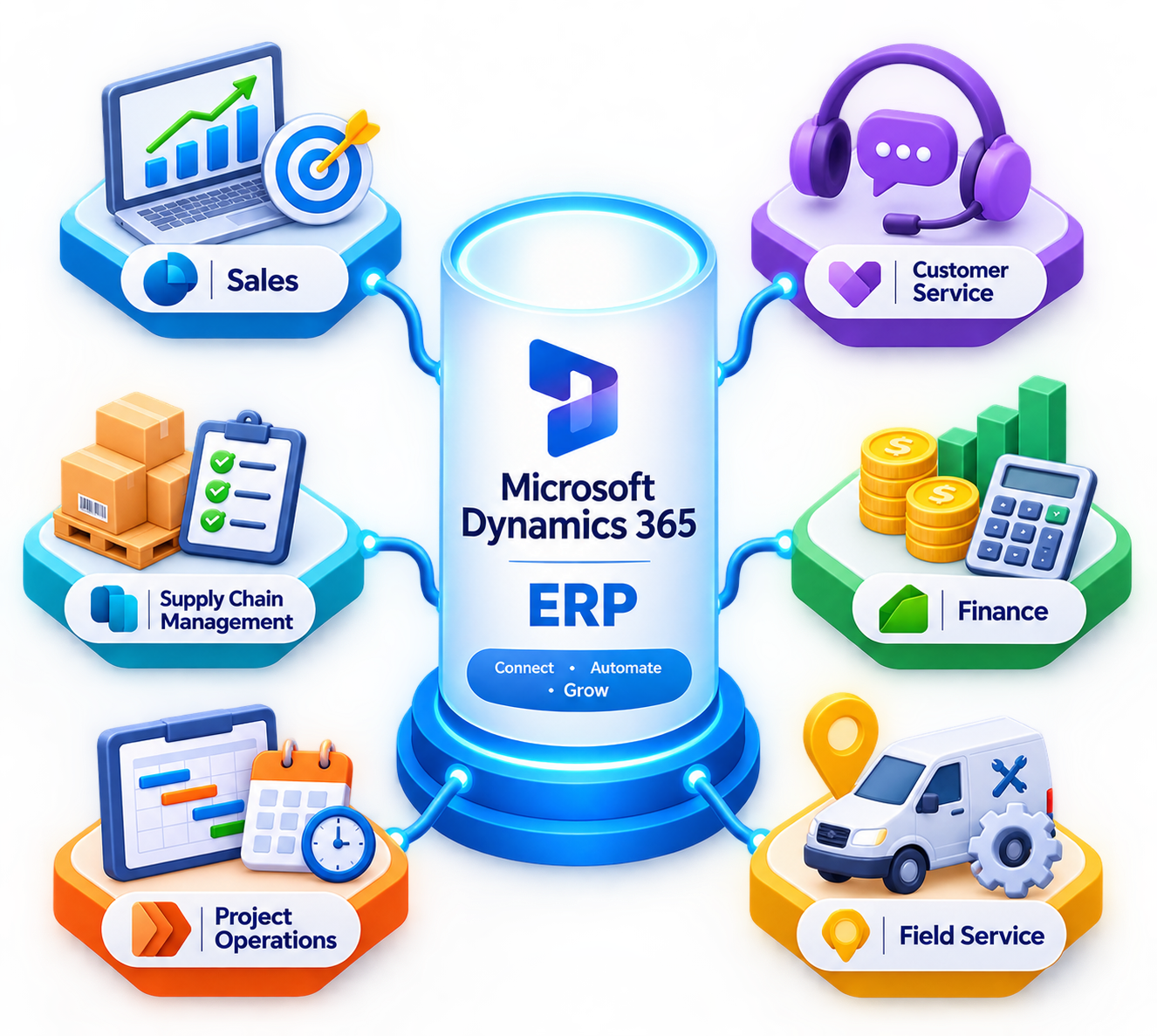
Why Choose Microsoft Dynamics
A flexible, connected ERP ecosystem designed to help businesses improve operational visibility, make informed decisions, and adapt to changing business needs.


Cloud-Based ERP
Access business applications and data through cloud-based solutions, helping teams work efficiently while reducing infrastructure management.


Real-Time Insights
Make informed decisions using business data, reporting, dashboards, and analytics across finance and operations.


Scalable Platform
Adapt your ERP capabilities as your business grows, with solutions designed for different business sizes and operational requirements.


Secure & Reliable
Support business continuity with Microsoft's security capabilities, identity management, access controls, and cloud infrastructure.


Integrated Business Processes
Connect finance, supply chain, purchasing, inventory, sales, and other business processes to improve collaboration and reduce disconnected workflows.


Global Business Support
Support international operations with relevant localisation, multi-currency, and legal-entity capabilities depending on the Dynamics 365 product and configuration.
End-to-End Microsoft Dynamics Services

ERP Consultation
Assess your business processes, identify operational challenges, and define an ERP strategy aligned with your business goals

Microsoft Dynamics Implementation
Plan and implement Microsoft Dynamics solutions according to your business requirements, workflows, and operational priorities

System Configuration
Configure business processes, workflows, permissions, and system settings to support your organisation needs

Customisation
Extend and tailor your ERP experience with appropriate customisations, reports, dashboards, and workflow automation

Data Migration
Plan and execute the migration of relevant customer records, financial data, products, and historical information from existing systems

Third-Party Integration
Connect Microsoft Dynamics with suitable eCommerce platforms, CRM systems, payment services, and other business applications

User Training
Help your teams understand the system, follow business workflows, and use relevant features effectively

Ongoing Support
Get technical assistance, troubleshooting, optimisation, and ongoing support as your business requirements evolve
Streamline Every Part of Your Business - in One Connected Ecosystem
Connect essential business processes with Microsoft Dynamics 365. Tiksom helps you assess your requirements, plan the implementation, and configure solutions that support better visibility, collaboration, and operational efficiency
Schedule Your Discovery Call
Manage Every Department with Microsoft Dynamics

Financial Management
Manage financial records, accounting, budgeting, reporting, and financial planning with appropriate Dynamics 365 finance capabilities

Supply Chain Management
Improve demand planning, procurement, inventory visibility, and order fulfilment across your supply chain

Procurement & Sourcing
Manage purchasing processes, supplier relationships, approvals, and procurement workflows

Sales & Customer Management
Support sales activities, manage customer relationships, track opportunities, and improve visibility into your sales pipeline using relevant Dynamics 365 applications.

Order Management
Coordinate sales orders, purchasing activities, inventory availability, and fulfilment workflows across connected systems

Warehouse Management
Support warehouse operations, stock visibility, inventory movement, and fulfilment processes with suitable supply chain capabilities

Project Operations
Manage project planning, resource utilisation, project costs, time tracking, and billing with Dynamics 365 Project Operations where applicable

Reporting & Analytics
Turn business data into actionable insights through reporting, dashboards, analytics, and suitable Microsoft Power BI integrations
Our Microsoft Dynamics Implementation Process
A structured implementation approach designed around your business requirements, operational workflows, and long-term goals.

Business Discovery
Understand your business objectives, existing systems, challenges, and operational workflows

Solution Design
Define the solution architecture, suitable Dynamics 365 applications, integration requirements, and implementation roadmap

Configuration & Customisation
Configure the system and implement agreed customisations to support your business processes

Data Migration
Prepare, map, and migrate relevant business data from existing systems with appropriate validation

Testing
Test business workflows, integrations, permissions, and migrated data before deployment

Go Live
Deploy the configured solution with a planned transition to help minimise disruption to daily operations

Continuous Support
Provide ongoing technical assistance, optimisation, and support as your business and system requirements evolve
Why Businesses Choose Microsoft Dynamics 365
Microsoft Dynamics 365 helps businesses connect essential processes, improve operational visibility, and adapt their technology as requirements change. With suitable applications and integrations, organisations can build an ERP environment that supports their financial and operational goals.
- Better visibility across finance and operations
- Connected business processes and data
- Flexible applications for different business requirements
- Integration opportunities across the Microsoft ecosystem
- Scalable solutions that can evolve with business needs
ERP Dashboard
Live overview • Today
Revenue
$2.4M
+12%
Orders
1,284
+8%
Inventory
92%
Healthy
Performance
Trend
START YOUR ERP JOURNEY TODAY
Ready to Transform Your Business with Microsoft Dynamics?
Whether you're replacing legacy systems, improving existing workflows, or implementing an ERP solution for the first time, Tiksom can help you explore Microsoft Dynamics solutions that align with your business requirements.
Schedule a ConsultationLet's build your Microsoft Dynamics roadmap together
Get In Touch
FAQ about Microsoft Dynamics
Implementation timelines depend on the selected Dynamics 365 applications, business requirements, data complexity, integrations, and customisation scope. After an initial discovery phase, we can help define a realistic implementation roadmap covering configuration, migration, testing, and deployment
Yes. Data migration can be planned for relevant customer records, products, financial information, and historical data from legacy ERP systems, spreadsheets, and other business applications. The migration approach depends on your source systems and the selected Dynamics 365 solution
Microsoft Dynamics supports integrations with suitable business applications and services. Integration options depend on the selected product, available APIs, connectors, and your existing technology stack
Post-implementation support can include troubleshooting, system optimisation, configuration assistance, user training, and technical support to help your solution continue meeting your business needs
